Backlinks and referring domains
Review the overall link profile and the websites referring to your project. Distinguish many links from one site from links distributed across different domains.
BACKLINKS · REFERRING DOMAINS · OFF-PAGE SEO
Know which links point to your website—and what to review next.
Use the SEOHack backlink checker to explore your website’s link profile. Review referring domains, follow and nofollow links, and potential risks in a project dashboard built for practical SEO analysis.
Already have an account? Open your projects
FROM DATA TO YOUR NEXT ACTION
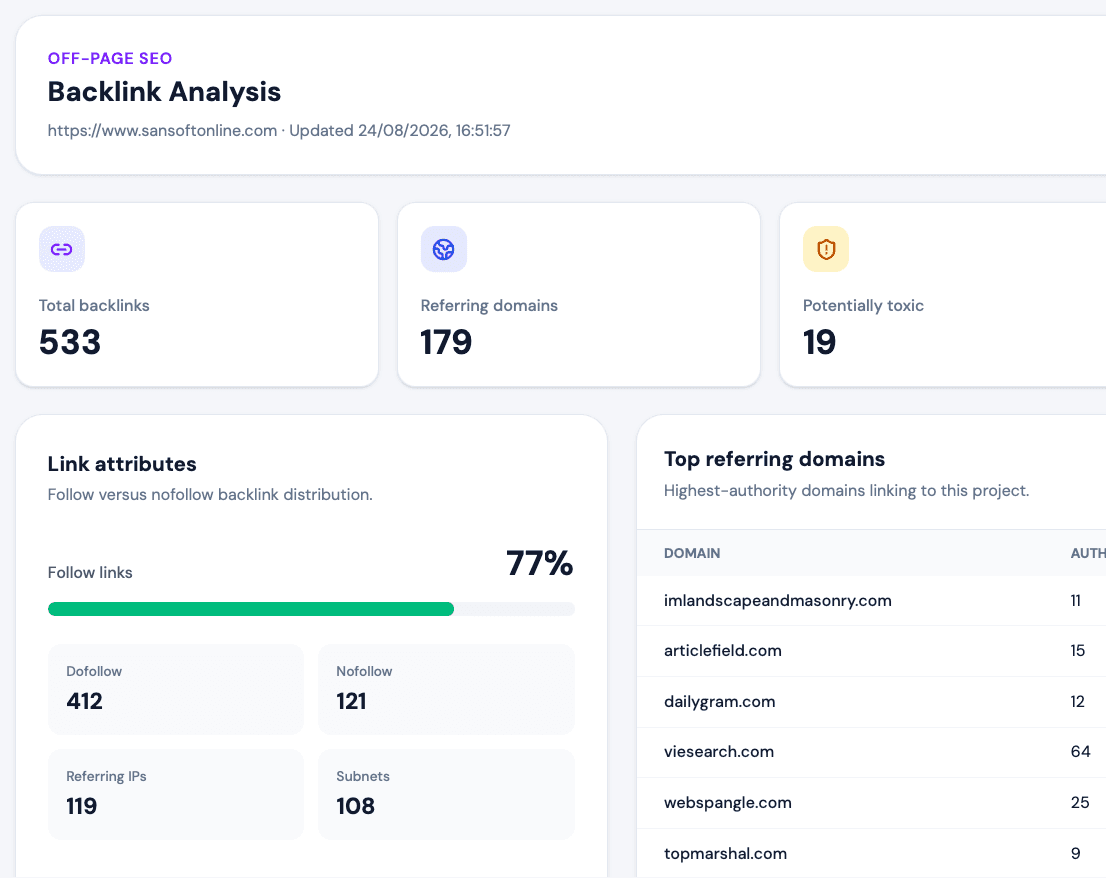
A backlink is a link from another website to yours. A backlink analysis tool helps you understand where those links come from and which deserve a closer look. SEOHack brings link totals, referring-domain information and link-level findings together so you can move beyond a single backlink count and review the sources behind it.
Review the overall link profile and the websites referring to your project. Distinguish many links from one site from links distributed across different domains.
Inspect link attributes to understand the composition of your profile. Use these labels as context rather than treating every nofollow link as a problem.
Find links flagged for closer inspection. A risk flag is a review signal, not proof of a Google penalty or an instruction to remove or disavow the link.
Review the available source and destination information, including broken-link findings where reported. Prioritize checks that can lead to a useful repair or outreach conversation.
A CLEAR WORKFLOW
Add your website in SEOHack and choose a plan with backlink analysis. Keep your link review associated with the right project.
Open the Backlinks section and choose Check Backlinks. Review the displayed credit cost before starting the analysis.
Review referring domains and individual findings. Check the context of suspicious links and decide whether an issue needs further investigation.
Use a regular link review to understand how your website is being referenced and to spot changes worth investigating. Agencies can use the findings to support a client discussion; site owners can identify broken destinations or unfamiliar referring sites. Keep relevance and source context at the center of the review instead of pursuing link volume alone.
Explore all SEOHack featuresA backlink checker reports links pointing from other websites to a target site. SEOHack combines backlink data with referring-domain and link-attribute information to support off-page SEO reviews.
This page introduces the project-based backlink analysis feature. An account and a plan that includes backlink analysis are required; checks may use credits. The separate free SEO audit is not an unlimited backlink-checking service.
No backlink database guarantees complete coverage. Results depend on the provider’s index and the analysis limits of your plan. Summary totals may exceed the number of detailed links analyzed.
No. Automated risk signals require context and manual review. Do not assume that a flagged link causes a ranking problem or should be disavowed simply because a tool labels it risky.
No. Start the analysis from the project’s Backlinks section using Check Backlinks. The interface shows the credit cost before you run it.
Further reading: Google’s link best practices.
BUILD A CLEARER SEO IMPROVEMENT PLAN
Explore project tools with an SEOHack account, or begin with a free SEO audit for an initial page review.