Project-based keyword tracking
Keep the keywords for each website together. Build a focused list around your products, services and the searches that matter to your customers.
GOOGLE RANKINGS · KEYWORDS · SEARCH VISIBILITY
Track the keywords that matter to your business.
Use SEOHack’s keyword rank tracking tool to check your website’s Google positions for target searches. Keep keywords, location settings and ranking results together instead of relying on occasional manual searches.
Already have an account? Open your projects
FROM DATA TO YOUR NEXT ACTION
A keyword position only makes sense when you know the search being measured. Results can differ across locations, languages, devices and time. SEOHack uses your project’s search configuration to organize checks, helping you review target keywords against a consistent website and market instead of comparing unrelated search results.
Keep the keywords for each website together. Build a focused list around your products, services and the searches that matter to your customers.
Choose the Google search location and language when setting up your project. New keyword checks use the project settings so you do not have to select them for each keyword.
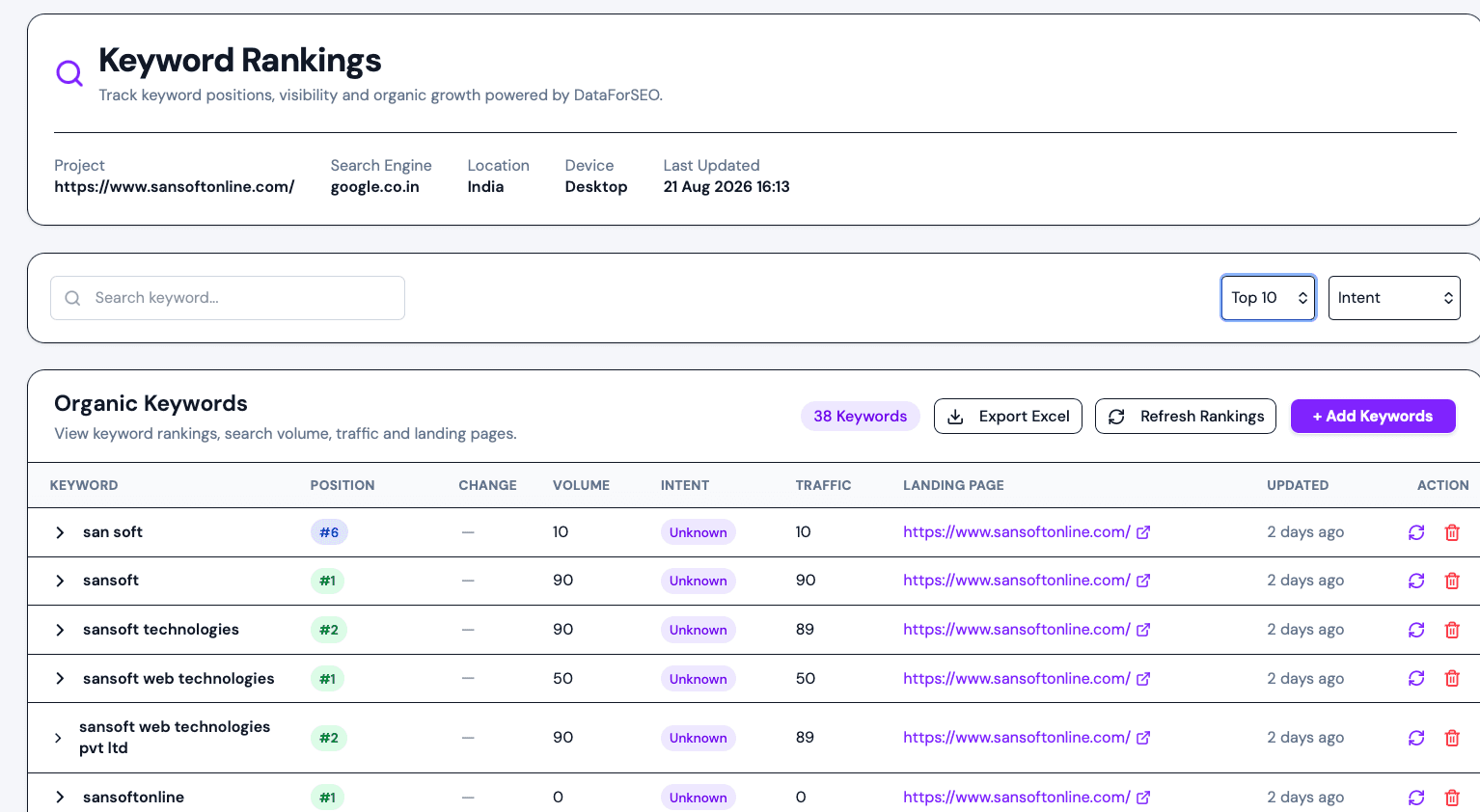
Run checks to review reported keyword positions and ranking URLs where available. Use the results to see which pages are appearing for your target searches.
Connect ranking observations with content and technical audits. Investigate the page behind a result before deciding whether to improve its content, internal links or technical setup.
A CLEAR WORKFLOW
Create a project for your website and choose its Google search location and language. Confirm the settings match the audience you want to reach.
Enter the search terms you want to track, one per line. Group your work around relevant services, products or content topics.
Run a ranking check and review the results in your project. Compare later checks using the same settings and investigate meaningful changes.
Start with terms connected to real customer needs: your main services, product categories and important informational questions. For a local business, select the relevant search location before reviewing positions. For an agency, keep each client in its own project. Use ranking data alongside traffic and conversions so a position change does not become the only measure of success.
Explore all SEOHack featuresIt checks where a website appears for selected search terms under specified search settings. SEOHack organizes tracked keywords and reported Google positions within each website project.
Choose the Google search location available in the project setup and set the language. Keyword checks inherit that project configuration. Available locations are shown in the selector.
No. Add Keywords asks for the keywords; search location and language are configured at the project level and used for ranking checks.
Keyword tracking is a project feature with plan limits and applicable credit usage. The free SEO audit is a separate page-audit workflow. Review pricing and the check controls for the current allowance and cost.
No. Tracking provides observations, not ranking guarantees or automatic optimization. Use the results to guide content improvements and technical investigations, then measure changes over time.
BUILD A CLEARER SEO IMPROVEMENT PLAN
Explore project tools with an SEOHack account, or begin with a free SEO audit for an initial page review.