Referring-domain discovery
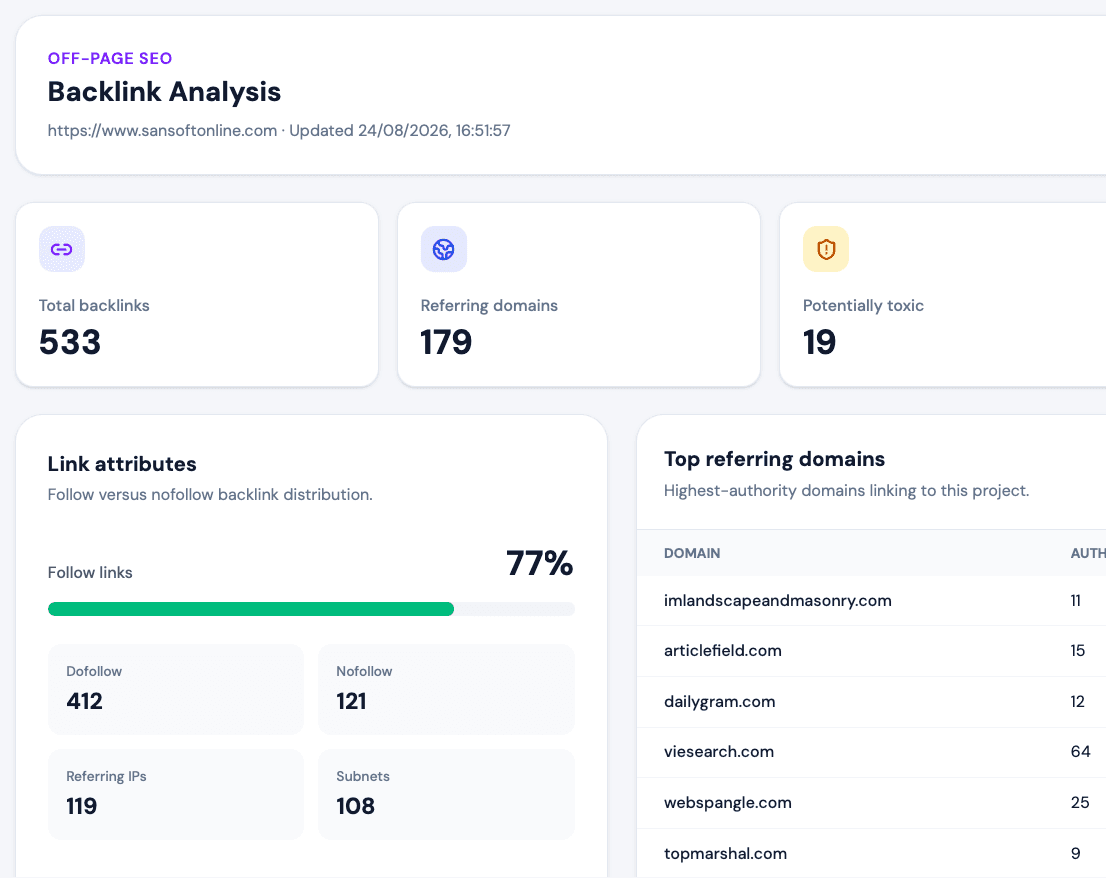
Identify available websites linking to the project and review distribution beyond a raw link total.
INCOMING LINKS · REFERRING DOMAINS
Find websites linking to you and investigate the links behind the totals.
If you are asking ‘who links to my site?’, start with referring domains and link-level context. SEOHACK’s backlink analysis helps you review available sources, destinations and link attributes without treating every unfamiliar link as a threat.
Already have an account? Open your projects
FROM DATA TO YOUR NEXT ACTION
A referring domain is a website that contains at least one detected link to yours. One domain can create many backlinks, so domain and link counts answer different questions. Link databases also differ in coverage and freshness; always name the source when presenting totals.
Identify available websites linking to the project and review distribution beyond a raw link total.
See which content sends the link and which page on your site receives it where data is available.
Review follow, nofollow and other available attributes as context—not simplistic quality labels.
Investigate potentially risky links manually before considering removal or disavowal.
A CLEAR WORKFLOW
Add the correct domain and choose a plan with backlink analysis.
Start the project analysis and note the displayed credit cost and applicable limits.
Look for relevant mentions, broken destinations, unfamiliar sources and changes worth investigating.
A legitimate mention without a useful link may support outreach. A link pointing to a removed page may justify a redirect or publisher update. Suspicious patterns deserve context before action; automated labels alone are not proof of harm.
Explore all SEOHACK featuresUse a backlink analysis source to review referring domains and individual detected links. Google Search Console also provides a Links report for verified properties.
A backlink is an individual link; a referring domain is the website hosting one or more of those links.
No tool guarantees complete coverage. Results depend on the provider’s index, freshness and your plan’s detailed-analysis limits.
No. Review relevance, page context and patterns manually before drawing a conclusion.
Further reading: Google Search Console Links report.
BUILD A CLEARER SEO IMPROVEMENT PLAN
Use SEOHACK to turn website evidence into prioritized work, then verify what changed.